Archive for July, 2009

ESI Widget Issues in the Varnish, ESI, WordPress experiment

Sunday, July 26th, 2009

The administration interface is quite simple. When the widget is installed, drag it to the Sidebar, then, drag any widgets that you want displayed to the ESI Widget Sidebar.

esi-widget

Current issues:
* When a user is logged in and comments on a post, their ‘login’ information is left on the page if they are the first person to hit the page when Varnish caches the page. If someone is logged in and visits a post page and the page hasn’t been previously cached, the html that shows their login status is cached, though, new visitors see the information, but lack the credentials.

Addons that don’t work properly:
* Any poll application (possible solution to wrap widget in an ESI block)
* Any stat application (unless they convert to a webbug tracker, this probably cannot be fixed easily)
* Any advertisement/banner rotator that runs internal. OpenX will work, as will most non-plugin
* Any postcount/postviews addon
* CommentLuv?
* ExecPHP (will cache the output, but does work)
* Manageable

Any plugin that does something at the time of the post or comment phase, that isn’t dependent on the logged in data should work without a problem. If it requires a login, or uses the IP address to determine whether a visitor has performed an action, will have a problem due to the excessive caching. For sites where the content is needed to be served quickly and there aren’t many comments, ESI Widget would work well.

Because of the way Varnish works, you wouldn’t necessarily have to run Varnish on the server running WordPress. Point the DNS at the Varnish server and set the backend for the host to your WordPress server’s IP address and you can have a Varnish server across the country caching your blog.

WordPress, Varnish and Edge Side Includes

Wednesday, July 22nd, 2009

While talking about WordPress and it’s abysmal performance in high traffic situations to a client, we started looking back at Varnish and other solutions to keep their machine responsive. Since most of the caching solutions generate a page, serve it and cache it, posts and comments tend to lag behind the cache. db-cache does work around this by caching the query objects so that the pages can be generated more quickly and does expire the cache when tables are updated, but, its performance is still lacking. Using APC’s opcode cache or memcached just seemed to add complexity to the overall solution.

Sites like perezhilton.com appear to run behind multiple servers running Varnish, use wp-cache, move the images off to a CDN which results in a 3 request per second site with an 18 second pageload. Varnish’s cache always shows an age of 0 meaning Varnish is acting more as a load balancer than a front-end cache.

Caching isn’t without its downside. Your weblogs will not represent the true traffic. Since Varnish intercepts and serves requests before they get to the backend, those hits never hit the log. Forget pageview/postview stats (even with addons) because the addon won’t get loaded except during caching. Certain Widgets that rely on cookies or IP addresses will need to be modified. A workaround is to use a Text Box Widget and do an ESI include of the widget. For this client, we needed only some of the basic widgets. The hits in the apache logs will come from an IP of 127.0.0.1. Adjust your apache configuration to show the X-Forwarded-For IP address in the logs. If you truly need statistics, you’ll need to use something like Google Analytics. Put their code outside your page elements so that waiting for that javascript to load doesn’t slow down the rendering in the browser.

The test site, http://varnish.cd34.com/ is running Varnish 2.0.4, Apache2-mpm-prefork 2.2.11, Debian/Testing, WordPress 2.8.2. I’ve loaded the default .xml import for testing templates so that there were posts with varied dates and construction in the site. To replicate the client’s site, the following Widgets were added the sidebar: Search, Archives, Categories, Pages, Recent Posts, Tag Cloud, Calendar. Calendar isn’t in the existing site, but, since it is a very ‘expensive’ SQL query to run, it made for a good benchmark.

The demo site is running on:

model name	: Intel(R) Celeron(R) CPU 2.40GHz
stepping	: 9
cpu MHz		: 2400.389
cache size	: 128 KB

with a Western Digital 80gb 7200RPM IDE drive. Since all of the benchmarking was done on the same machine without any config changes taking place between tests, our benchmarks should represent as even a test base as we can expect.

Regrettably, our underpowered machine couldn’t run the benchmark with 50 concurrent tests, nor, could it run the benchmarks with the Calendar Widget enabled. In order to get apachebench to run, we had to bump the number of requests down and reduce the number of concurrent tests.

These results are from Apache without Varnish.

Server Software:        Apache
Server Hostname:        varnish.cd34.com
Server Port:            80

Document Path:          /
Document Length:        43903 bytes

Concurrency Level:      10
Time taken for tests:   159.210 seconds
Complete requests:      100
Failed requests:        0
Write errors:           0
Total transferred:      4408200 bytes
HTML transferred:       4390300 bytes
Requests per second:    0.63 [#/sec] (mean)
Time per request:       15921.022 [ms] (mean)
Time per request:       1592.102 [ms] (mean, across all concurrent requests)
Transfer rate:          27.04 [Kbytes/sec] received

Connection Times (ms)
              min  mean[+/-sd] median   max
Connect:        0    2   7.0      0      25
Processing: 14785 15863 450.2  15841   17142
Waiting:     8209 8686 363.4   8517    9708
Total:      14785 15865 451.4  15841   17142

Percentage of the requests served within a certain time (ms)
  50%  15841
  66%  15975
  75%  16109
  80%  16153
  90%  16628
  95%  16836
  98%  17001
  99%  17142
 100%  17142 (longest request)

Normally we would have run the Varnish enabled test without the Calendar Widget, but, I felt confident enough to run the test with the widget in the sidebar. Varnish was configured with a 12 hour cache (yes, I know, I’ll address that later) and the ESI Widget was loaded.

Server Software:        Apache
Server Hostname:        varnish.cd34.com
Server Port:            80

Document Path:          /
Document Length:        45544 bytes

Concurrency Level:      50
Time taken for tests:   18.607 seconds
Complete requests:      10000
Failed requests:        0
Write errors:           0
Total transferred:      457980000 bytes
HTML transferred:       455440000 bytes
Requests per second:    537.44 [#/sec] (mean)
Time per request:       93.034 [ms] (mean)
Time per request:       1.861 [ms] (mean, across all concurrent requests)
Transfer rate:          24036.81 [Kbytes/sec] received

Connection Times (ms)
              min  mean[+/-sd] median   max
Connect:        0    0   1.8      0      42
Processing:     1   92  46.2    105     451
Waiting:        0   91  45.8    104     228
Total:          2   93  46.0    105     451

Percentage of the requests served within a certain time (ms)
  50%    105
  66%    117
  75%    123
  80%    128
  90%    142
  95%    155
  98%    171
  99%    181
 100%    451 (longest request)

As you can see, even with the aging hardware, we went from .63 requests per second to 537.44 requests per second.

But, more about that 12 hour cache. The ESI Widget uses an Edge Side Include to include the sidebar into the template. Rather than just cache the entire page, we instruct Varnish to cache the page and include the sidebar. As a result, when a person surfs the site and goes from the front page to a post page, the sidebar doesn’t need to be regenerated when they go to the 2nd page. With wp-cache, it would have regenerated the sidebar Widgets and then cached the resulting page. Obviously, that 12 hour cache is going to affect the usability of the site, so, ESI widget purges the sidebar, front page and post page any time a post is updated or deleted or commented on. Voila, even with a long cache time, we are presented with a site that is dynamic and not delayed until wp-cache’s page cache expires. As this widget is a concept, I’m sure a little intelligence can be added to prevent the excessive purging in some cases, but, it does handle things reasonably well. There are some issues not currently handled with the ESI including how to handle users that are logged for comments. With some template modifications, I think those pieces can be handled with ESI to provide a lightweight method for the authentication portion.

While I have seen other sites mention Varnish and other methods to keep your wordpress installation alive in high traffic, I believe this approach is a step in the right direction. With the ESI widget, you can focus on your site, and let the server do the hard work. This methodology is based on a CMS that I have contemplated writing for many years, though, using Varnish rather than static files.

It is a concept developed in roughly four hours including the time to write the widget and do the benchmarking. It isn’t perfect, but does address the immediate needs of the one client. I think we can consider this concept a success.

If you don’t have the ability to modify your system to run Varnish, then you would be limited to running wp-cache and db-cache. If you can connect to a memcached server, you might consider running Memcached for WordPress as it will make quite a difference as well.

This blog site, http://cd34.com/blog/ is not running behind Varnish. To see the Varnish enabled site with ESI Widget, go to http://varnish.cd34.com/

Software Mentioned:

* Varnish ESI and Purge and Varnish’s suggestions for helping WordPress
* WordPress
* wp-cache
* db-cache

Sites used for reference:

* Supercharge WordPress
* SSI, Memcached and Nginx (with mentions of a Varnish/ESI configuration)

Varnish configuration used for ESI-Widget:

backend default {
.host = "127.0.0.1";
.port = "81";
}

sub vcl_recv {
 if (req.request == "PURGE") {
     purge("req.url == " req.url);
 }

 if (req.url ~ "\.(png|gif|jpg|ico|jpeg|swf|css|js)$") {
    unset req.http.cookie;
  }
  if (!(req.url ~ "wp-(login|admin)")) {
    unset req.http.cookie;
  }
}

sub vcl_fetch {
   set obj.ttl = 12h;
   if (req.url ~ "\.(png|gif|jpg|ico|jpeg|swf|css|js)$") {
      set obj.ttl = 24 h;
   } else {
      esi;  /* Do ESI processing */
   }
}

Google Voice

Friday, July 10th, 2009

A few years ago, a very unique phone service called Grand Central was purchased by Google. As with most acquisitions that Google has made, the service was closed, existing clients maintained their current service level, but, new clients weren’t added. Grand Central had a very unique service offering and much like Picassa or Postini, you knew Google was going to take the service, twist it around and make it better and change the price model. With most of the other services that Google purchased, they were quickly revamped, branded and released. This wasn’t the case with Grand Central. Google announced Google Voice, and allowed you to submit your email address to get put on the waiting list. After what has seemed like many years, and after people on the Internet had started getting invites on June 26, 2009, I was pleasantly surprised when I opened up my email to see a notice from Google. Since I was somewhat familiar with Grand Central’s offering, I was excited to see what Google had done.

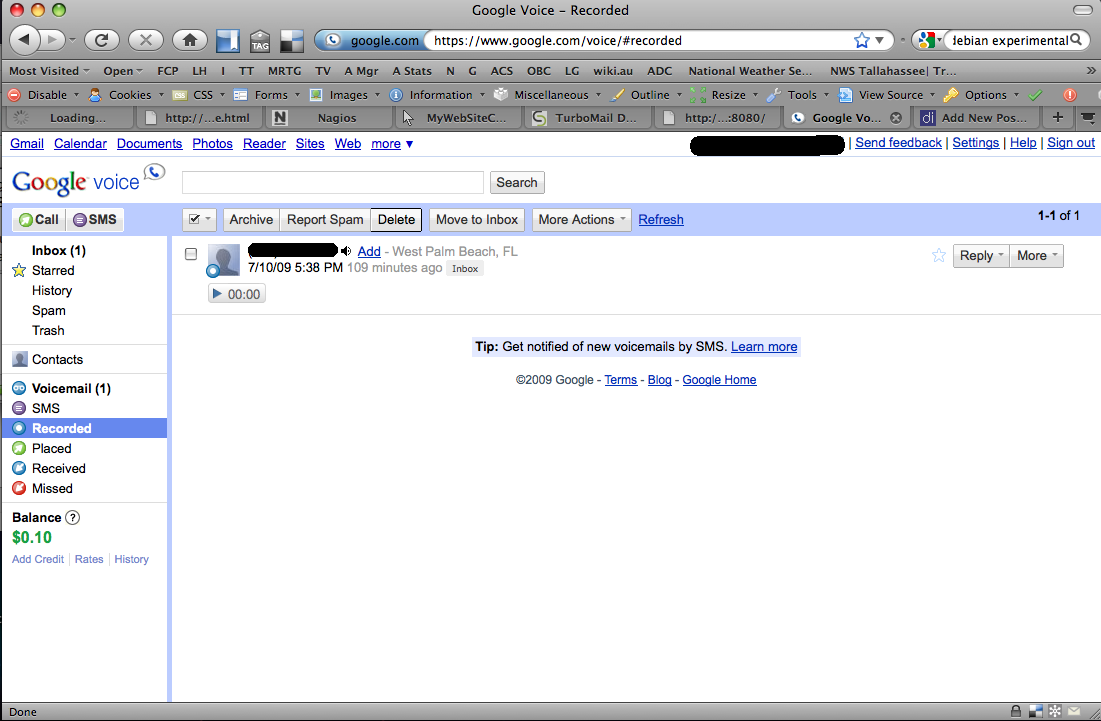
Voicemail almost becomes as easy to use as email. You can listen to voicemails, read them (if you have transcription turned on) and forward the messages to other email addresses. Once you have signed into Google Voice, you are presented with the Inbox

inbox

On the left menu, we are presented with special inboxes for voicemail:

voicemail

and a number of other inboxes including SMS, Recorded, Placed, Received and Missed Calls. If you send an SMS message to your Google Voice Number, it is recorded in the Inbox and the SMS inbox, and forwarded to any phone you have tagged as able to accept SMS. You can also send SMS messages from within Google Voice by clicking the SMS button.

sms

If a number is marked as spam, future calls from that number will be sent to voicemail immediately without ringing your numbers. You can unblock a number marked as spam later.

In the settings, you can set up how voicemail notifications should occur. You can select to have the voicemail notification emailed to you and optionally page your mobile phone through SMS.

settings

Your email message will include a transcribed copy of the message. In several test calls, their transcription was fairly accurate. During playback, a green underline is displayed under each word as you listen to the message.

email

The Phones menu allows you to set up multiple phone numbers. When someone calls your Google Voice number, all of the phone numbers listed here ring at the same time. You can answer any of the phones and the first one answered receives the call.

phones

By default, when answering an incoming call, you receive a notification that Google Voice is calling along with the name of the caller. You can enter a 1 to accept the call, 2 to send it to voicemail, 3 to send it to voicemail and listen, or 4 to accept the call and record it. There is a brief notification at the beginning of the call on both sides that the call is being recorded. The recorded call is able to be accessed in the Recorded Inbox. When someone calls your Google Voice number, they are told that Google Voice has answered the call and it asks for their name which is presented to you in presentation mode.

recorded

When you add a phone, Google places a call to the number you’ve added and asks for a two digit code to be keyed in.

verifyphone

There are also advanced settings:

addphoneadvanced

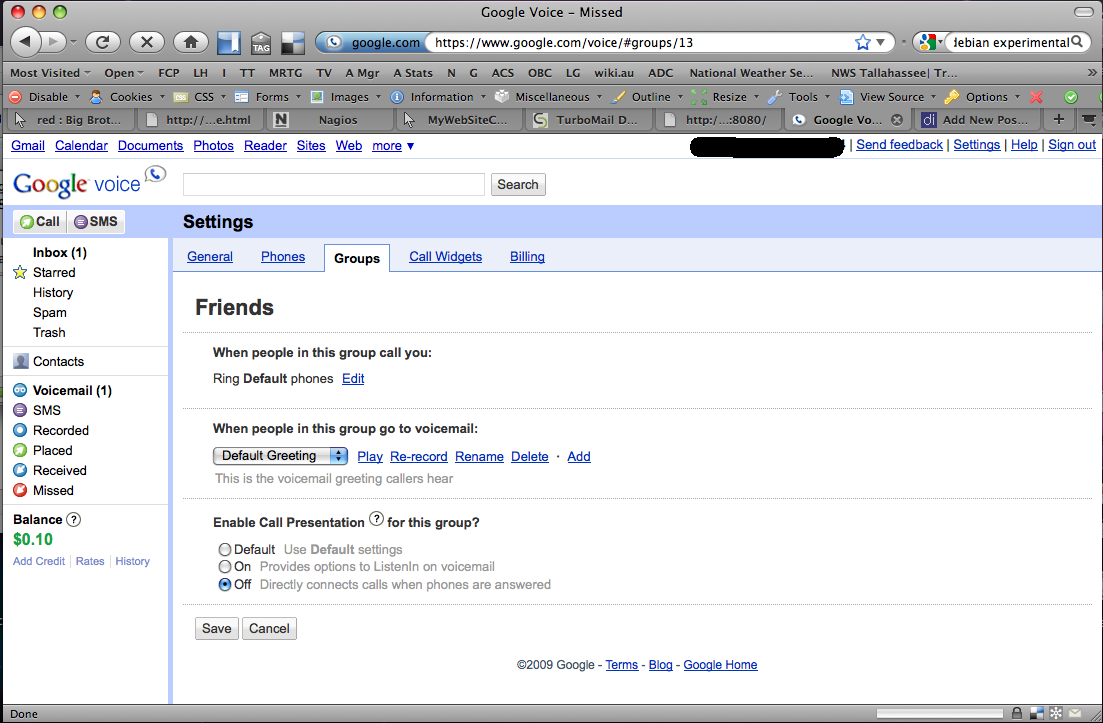
You can set up Call Groups and have different behaviors depending on what group the caller is in. In this case, Friends are put through immediately when the phone is answered without me having the option to screen the call. A caller receives a ringing phone as you are being located or listening to the menu options during the incoming call.

groups

Once in groups, you can set which phones will be rung, define a special greeting and whether you want to use call presentation:

friends

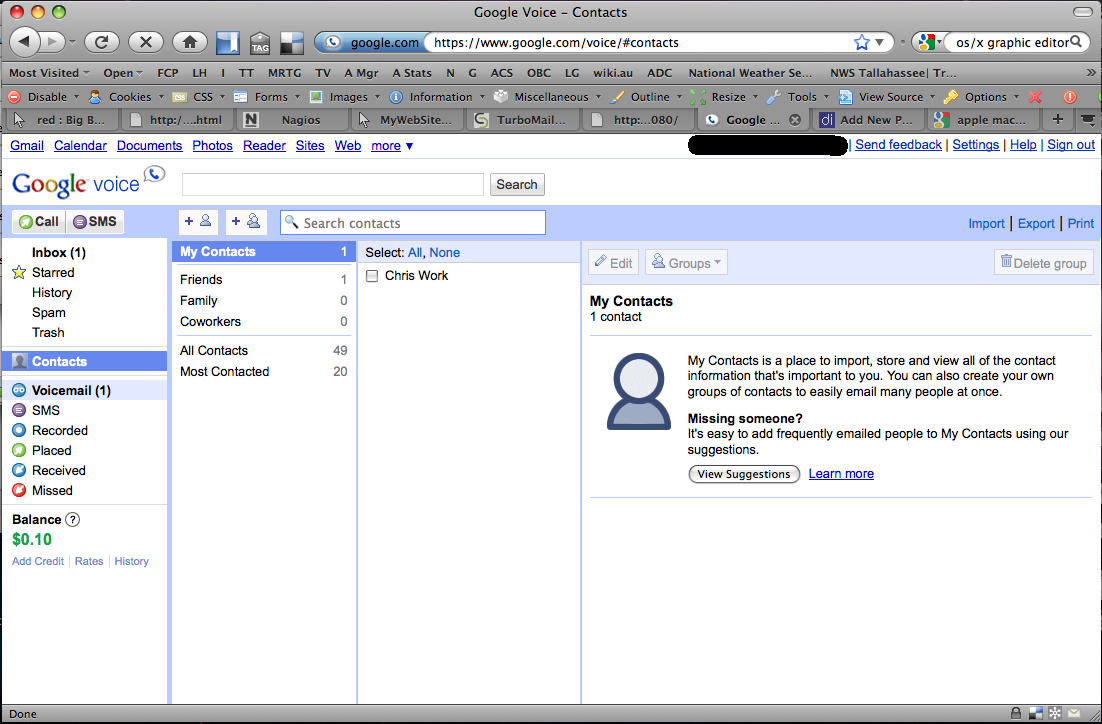
Of course, you can edit your contact lists and change what group each contact is in. By default, Google Voice has already imported your Gmail contact list. There are several other import methods supported, so, importing your contact list should be easy.

contacts

Another nice feature is the Call Widget. This is a method for placing an icon on your website where a potential caller can click the graphic, enter their phone number and hit connect. Google then calls that number, establishes the connection, then proceeds to call your number. Your number is hidden within an encoded string making this a somewhat effective method for accepting callers without giving out your number.

widget1widget2widget3

The above 3 screens show the widget on a page, entering a name and phone number and connecting the call. When the name is entered, Google does do text to speech and announces the call. If you put a two word name, i.e. Bob Smith, the nature of the URL encoding shows through and the caller is announced as Bob plus Smith.

The last screen in the settings is for Billing. The prices for International calls are relatively aggressive compared to Vonage.

billing

My initial impression is quite positive. Phone calls connected through the service are extremely quick and sound great. When you want to change a message prompt, Google Voice calls your phone so that you don’t need to depend on your microphone on your computer resulting in a relatively good quality recording.

Irony? The Google Voice widget is a flash widget and I haven’t been able to get Flash to install in Chrome. I haven’t been able to install Delicious for Chrome either, and of course, the Google Toolbar doesn’t work. The web interface for Google Voice is very ajax intensive and it loads very quickly and is very responsive. Since I prefer using my keyboard shortcuts over the trackpad on my laptop, Google does capture some of the shortcuts I would normally use to switch tabs.

If you don’t have Google Voice and are looking for a good way to have a single phone number that rings your house, mobile and work numbers and allows some handy features, you might want to try applying for an Invite at Google Voice.

Google’s App Engine goof

Friday, July 3rd, 2009

While Google’s App Engine is a well planned service and it does work incredibly well for what it does, sometimes things break due to resource limits, etc.

While the app engine platform is still running, it appears to be an issue with this particular application’s committed resources. The App Gallery has exceeded it’s memory quota.

Google App Engine App Gallery

Data Center Hardware Upgrades

Wednesday, July 1st, 2009

Many Hosting companies operate on razor thin margins trying to capture as much market share as possible. Over the long haul, many $99/month dedicated servers can be absorbed into your existing bandwidth commitments without any incremental cost. Early on, one dedicated hosting provider dumped servers on the market for $99 with 700gb/transfer per month. At the time, they were undercutting hosting providers and it was deemed impossible that they could be able to fulfill the hosting world’s needs. In reality, they knew that their average client used 2.5gb of transfer per month, so, what difference did it make if they handed their average client 700gb. By having an ‘enormous’ cap, the average consumer wouldn’t be scared about overage charges, but, there were companies that knew they would exceed that cap and the penalty rate structure forced them to go elsewhere. That hosting provider cherrypicked the clients that would make the most money, even though they were a budget provider.

Later, they offered upgrades to the hardware and bandwidth commitments leaving many of those initial customers stuck on older hardware. There was no upgrade path to get from one machine to another except for the client moving the data themselves. The hosting company was only responsible for making sure the machine had power and network. However, there needs to be an upgrade path and there needs to be enough margin in the equation to facilitate hardware and network upgrades over time.

At some point the useful life of a machine is exceeded and one is faced with upgrading the machine, or, replacing components if the machine fails. Typically, CPU fans and hard drives will fail since they are moving parts. Other times, the client installs applications that require more CPU horsepower or runs into a situation where a machine needs more RAM. Depending on the age of the machine, those upgrade costs might exceed installing a new chassis.

With today’s hardware replacing yesterday’s hardware, often times there is quite a disparity between the computing power of the existing machine and the replacement. Virtualization can allow you to put in a powerful machine and replace multiple older machines, sometimes at a much lower TCO than maintaining the older machines.

That conversion isn’t without its issues though. If you are measuring bandwidth, you can no longer use the SNMP statistics from your switch, you must use something to count the flows. Device naming becomes an issue because you need to identify the virtual machine and the physical chassis that the machine is on in case there is a hardware issue. Clients don’t always understand virtualization and want a ‘dedicated’ server, even though their CPU core can be pinned to their exclusive use. If they need extra capacity, and it is available on the chassis, they can utilize it. As a result, Virtualization of a data center can significantly decrease power consumption. An older Pentium 4/3.0ghz CPU can easily reside on a single core of a 2.4ghz Xeon with room to spare. Considering the older infrastructure, you could easily fit 8 Pentium 4/3.0ghz machines with 2GB ram on a single dual CPU Quadcore Xeon with 16gb RAM. An 8:1 consolidation considering the lower utilization machines can result in considerable density increases. Replacing those eight machines might result in using roughly one sixth the power of the previous eight, so, you can still increase the cores per rack which can increase profitabilty. Provided with a mixed infrastructure where you might be replacing single and dual core machines, again, you might lose some of the economies of scale, but, the consolidation will still ultimately increase core density.

Virtualization techniques include using Xen, Citrix, KVM, Virtuozzo and VMWare.

Intel has an interesting blog post about Optimizing Costs within the Data Center that talks about a 10:1 reduction in hardware replacing singlecore machines with virtualized instances.

In addition to the cost and power savings, they saw a processor savings as well. If you’re selling dedicated servers, it might be difficult to give someone less than a whole processor if they had been sold a single processor, but, in a corporate environment, as long as the machine has enough CPU horsepower to do its job, more than one virtual machine can be assigned per core. For example, you can install ten Virtual Machines on an eight core machine and probably still have excess CPU.

However, applications are taking more CPU time than they used to, so, even if you are able to keep a 4:1 ratio, you’re still ahead of the game.

Entries (RSS) and Comments (RSS).
Cluster host: li